October 5-11, 2026
A new homepage, Epic linking, EGS on your phone, the Companion quick panel and match cards for Rocket League, Fortnite and Dead by Daylight.
Website
Changelog
- everygamestat.com/changelog: Every update to the site and the Companion in one place, newest first.
Epic linking, Fortnite ranks and EGS on your phone
- Link Epic Games: Epic is now a platform in the link menu: enter your Epic display name and your Fortnite stats come in. Epic has no public API for your library or playtime, so it links Fortnite only.
- Your Fortnite stats page: Your rank with the official emblem and percentage, rank over time, every mode and input in one table, and your latest matches and sessions from the EGS Companion. Share your Fortnite page with one tap.
- Ranked in the Fortnite hub: A new Ranked tab with every rank from Bronze to Unreal. Public player pages show tracked matches and rank for players with a public card.
- EGS on your home screen: On a phone, EGS now explains how to put it on your home screen. Open it from there and you get a short tour and can turn on notifications.
A new homepage and a sharper look
- Redesigned homepage: Sign up in one click with Discord, Google or Twitch, right at the top of the page. Below it: what you get, a player search without an account, every game hub and the Companion.
- New header and backgrounds: The header is lighter and sharper, with the app icon in the top left. Every page got a subtle hexagon pattern in the background. The layouts stay the same.
- Labels in our own font: Small labels, badges and table headers now use the same typeface as our logo and headings.
- Search on your phone: The search field in the phone header was too narrow to read. It is now a search button that opens across the full width.
- Your week in your inbox: If you linked a platform, you get a short recap of your week every Monday by email. You can turn it off with one click in the email.
A clearer privacy policy, and help with the Windows warning
- Privacy policy and terms updated: Rewritten and brought up to date: what the site stores and why, how ads from Google AdSense use cookies and how to turn personalised ads off, and what the EGS Companion, Discord, notifications and emails keep. Read it on the privacy page.
- Help with the Windows warning: The Companion page now explains the blue Windows SmartScreen screen you can get because the installer is not code-signed yet, and how to get past it safely.
EGS Companion
v0.9.28: What's new after every update
- What's new: After an update the Companion shows once what changed, with a link to the full changelog.
v0.9.29: See what you did in a session
- Your last session on top: Game hubs now open with your last session of that game: the role you played and the stats that went up, then your recent sessions, then your totals.
- Click a session: Session rows on Home open that session. Right after you close a game it tells you Steam needs up to a minute.
v0.9.30: A summary after every Dead by Daylight match
- After every match: A small card shows how the match went: killer or survivor, escaped or not, and how many generators, skill checks and bloodpoints you got.
- Last matches in the hub: The Dead by Daylight hub lists your last matches under your last session.
v0.9.32: Fortnite: your match in Discord and a card after every match
- Discord during a match: Your mode (Ranked Solo, Zero Build Duos and more) and where you are: warming up, in the Battle Bus, in the match, eliminated or Victory Royale, plus Crown while you wear one.
- After every match: Back in the lobby you get a card: Victory Royale or eliminated, minutes in the match, and in ranked your division, progress and how much it changed.
- Fortnite rank in Discord: Optional, off by default: show your ranked division and progress in your Discord status.
v0.9.33: Fortnite: every match in your stats
- Eliminations per match: After every match the Companion compares your Fortnite totals before and after, so the card shows your eliminations and players outlived in that match. Your Fortnite stats need to be public.
- Sessions with their matches: A session now lists the matches you played in it: mode, Victory Royale or eliminated, eliminations, minutes and ranked progress.
- Game hub and Stats split: The Fortnite game hub is for the item shop, news, map and cosmetics. Your own numbers, sessions and matches are under Stats.
v0.9.34: Fix: matches no longer listed twice
- Last matches: Matches that already show under your last session are no longer repeated in the list below it.
v0.9.35: Quick panel with Alt+E, a better match card, no more double matches
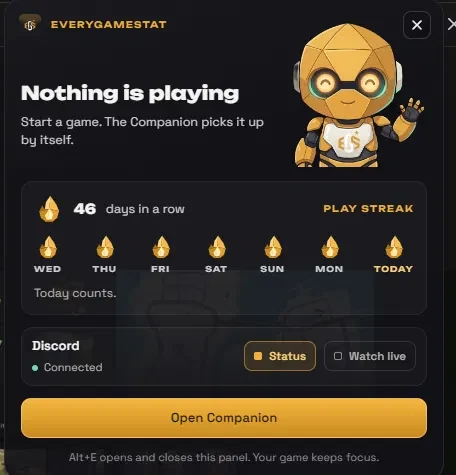
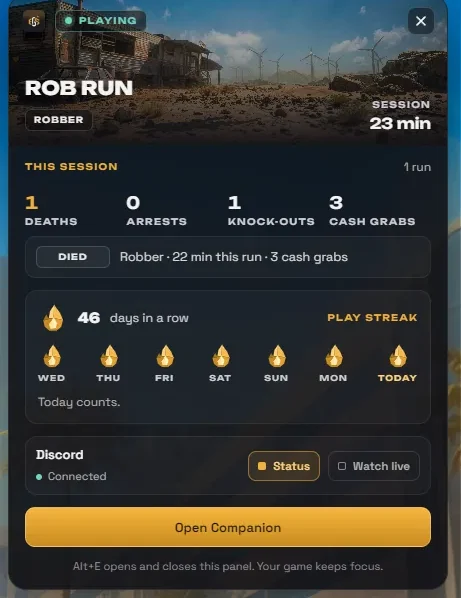
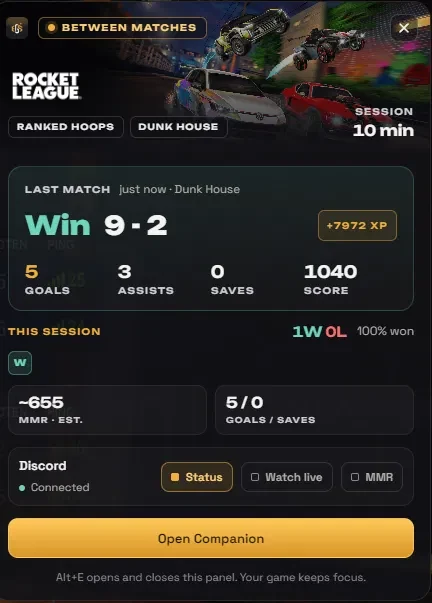
- Quick panel: Press Alt+E in a game: an EGS panel shows what the Companion measures right now (mode, phase, rank, your last match) and lets you switch your Discord status. Esc or Alt+E closes it.
- Match card: The result is the headline, with your eliminations, minutes and players outlived in large numbers, and your ranked progress with a bar. A promotion shows as Bronze II to Bronze III instead of a percentage over 100.
- No double matches: After a restart the Companion no longer reports Fortnite matches from earlier in the log again. Existing doubles have been removed.
v0.9.36: A match card that moves, quick panel on the side
- Match card in motion: Fortnite art behind the result, your eliminations, minutes and players outlived count up, and your ranked bar runs from your old to your new progress. A promotion fills the bar, flashes and shows your new division.
- Quick panel: Opens on the side of your screen (the same side as the overlay position), so the middle stays free. Turning it off in Settings now really turns Alt+E off.
v0.9.37: A new Home: everything you played, per session
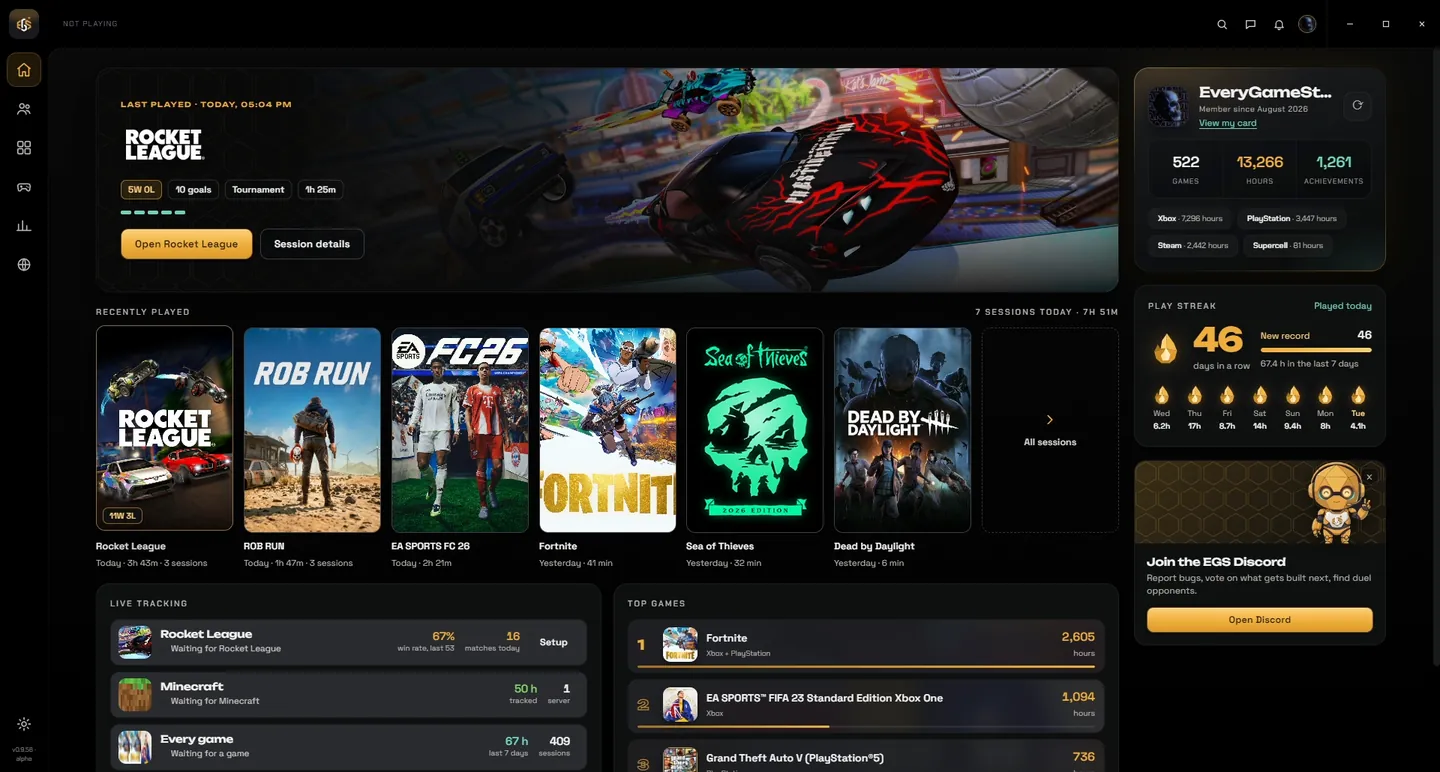
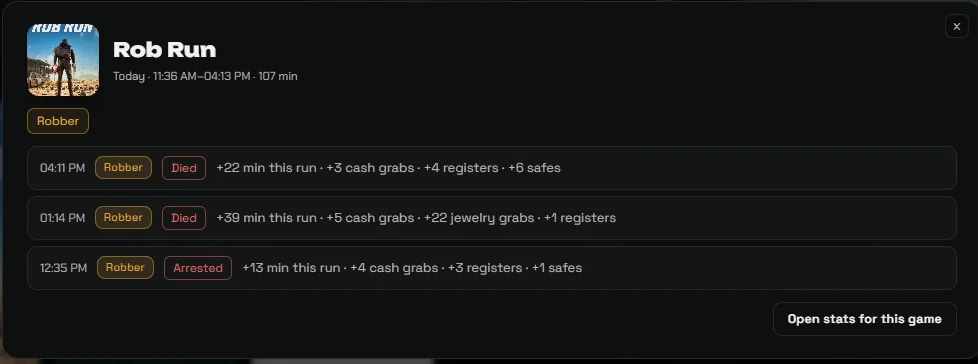
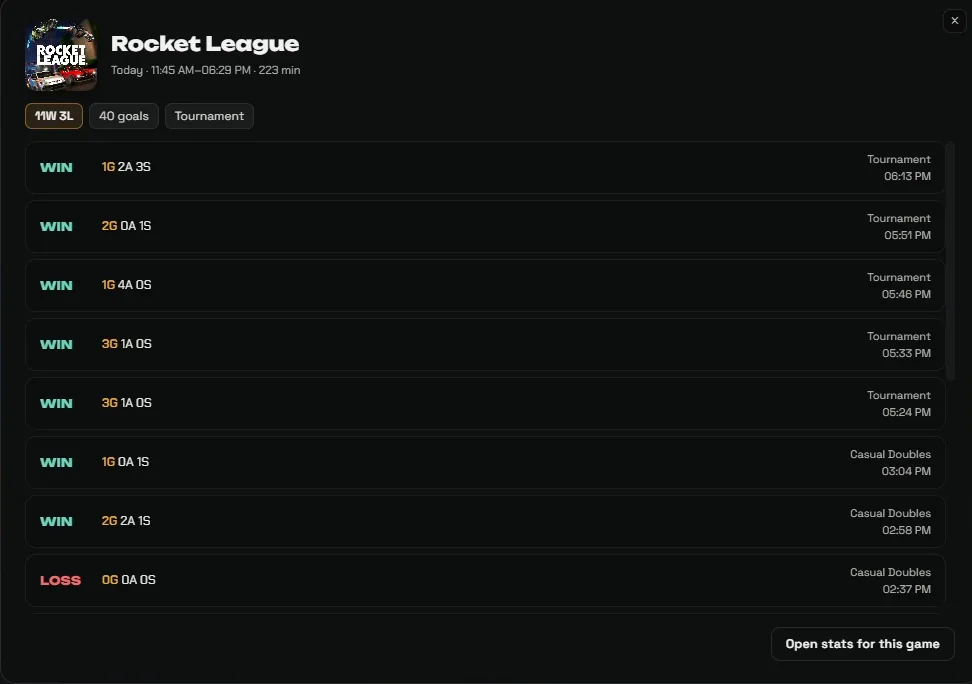
- Recently played: Home shows every game you played as a card per session, grouped by day: cover, time, the numbers that matter (wins and losses, Victory Royales, eliminations, rank, escapes) and a strip with one block per match. Click a card to see every match of that session.
- Playing now: While you play, a live card sits at the top of the list.
- Top games: The same game on different platforms counts as one, with its cover behind it, hours that count up and a bar compared to your number one. Click to open the game.
v0.9.38: Xbox sessions on Home
- Played on your Xbox: Sessions the Companion measures on your Xbox console now show on Home as well, marked On Xbox, with game, time and duration.
v0.9.39: Fortnite on Xbox: every match counted
- Matches on your Xbox: When you play Fortnite on your Xbox with the Companion running on your PC, it checks your Fortnite totals (from the account linked on EveryGameStat) every 75 seconds. Each finished match is saved with mode, eliminations, minutes and whether you won.
- Discord status: Shows what the Xbox network says you are doing, plus your last match and today's wins and eliminations.
v0.9.40: Rocket League: a card after every match, and tournaments
- After every match: Win or loss with the score from your team's side over the Rocket League art, your goals, assists, saves and shots counting up, your MMR with what your previous match in that playlist earned you, and your session so far.
- Tournaments: A gold tournament card with the match number and the series length (Bo1, Bo3). It tells you when you are through to the next round or knocked out, and when you win the tournament it is a celebration: that match was the final.
v0.9.41: Quick panel no longer takes your game out of focus
- Stay in your game: The quick panel (Alt+E) never takes focus from your game anymore: your game keeps running in front, keeps its sound, and when you close the panel you are simply still in your game. The switches still work with a click.
- In your corner: The panel now opens in the corner you chose under Overlay, Position, the same place as the match cards. Close it with Alt+E or the cross.
v0.9.42: Fix: Rocket League matches counted twice
- One match is one match: After a match Rocket League keeps sending updates while the scoreboard is open. When you stayed on it a while, the Companion counted that as a second match: double in your session, your wins and losses and the match card. Your saved matches were always right.
v0.9.43: Rocket League: a small animation for every goal of yours
- Your goal: When you score, GOAL pops up in your corner, your score rolls up to the new number with a gold flash, and the goal speed shows when the game sends it. An assist gets its own version.
- Stays out of your way: Three and a half seconds, click-through, never takes focus. Can be turned off under Settings, Overlay.
v0.9.44: Dead by Daylight: one match is one match again
- No more five matches for one: Dead by Daylight sends its stats to Steam in pieces while you play, and Steam sometimes briefly shows an older count. The Companion counted every piece as a finished match. Now everything is added up until your Bloodpoints come in, and that is one match. Killer and Survivor.
- Nothing counted twice: When Steam shows an older count and then the new one again, the same sacrifice or skill check is no longer counted a second time.
- Only what is certain: Steam can take a few minutes to show your Bloodpoints, so the match card comes a bit after the match. Close the game before that and the match still counts, but without 'not escaped', because that is not known yet.













 1