October 12-18, 2026
A new Companion Home, your games in one library, themes, the GTA 6 hub rebuilt and new stream overlays.
Website
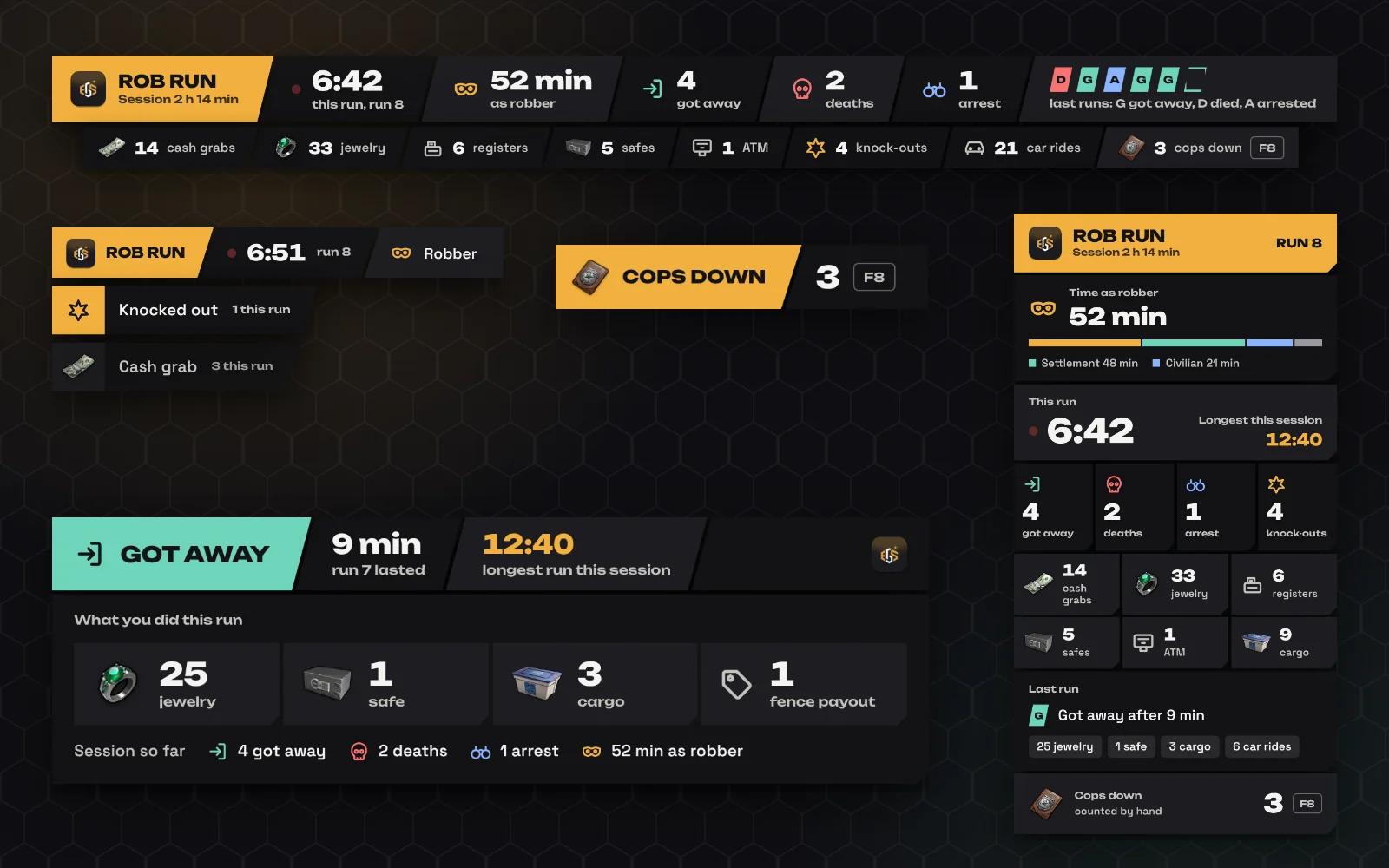
Stream overlays: a new look and live goals
- A new look for every overlay: Every widget is now a score bar like an esports broadcast, with your game, colour and numbers. Choose angled or straight edges in the editor.
- Rocket League goals during the match: With the Companion running, your goals, assists and saves count on the overlay while the match is still going, not only after it ends.
- Alerts on your stream: A short alert when you score, assist or save in Rocket League, when you win or lose in Clash Royale or Brawl Stars, and for a Victory Royale in Fortnite. Turn them off per overlay.
- Sessions that end by themselves: A session now ends after 4 hours without a match, also when OBS stays open all day.
EveryGameStat is on Instagram
- Questions and ideas on Instagram: Follow and DM us at @everygamestat. You find the link at the bottom of the side menu, in the phone menu, in the footer and after you link a platform. EveryGameStat is built together with the people who use it.
- Clearer sync messages: When a linked platform stops updating, the notification now says what went wrong in your language and what to do, for example which Steam privacy setting to change.
The GTA 6 hub, rebuilt
- The Launch Trailer and Rockstar's own images: The GTA 6 hub now opens with the Launch Trailer of 15 October and is full of official screenshots and artwork from Rockstar's media kit: every character and place with its own screenshots, and a gallery you can filter.
- Editions, music and gameplay in one place: Every Ultimate Edition item with images, the Vintage Vice City Pack, the radio stations revealed so far, GTA VI: The Album and everything shown of the gameplay, each with its source.
- Your GTA 6 hours on your card: GTA 6 is a PlayStation 5 and Xbox Series X|S game. Link PlayStation or Xbox and your GTA 6 playtime and trophies or achievements appear on your card after you play.
EGS Companion
v0.9.45: Fix: Rocket League matches went missing
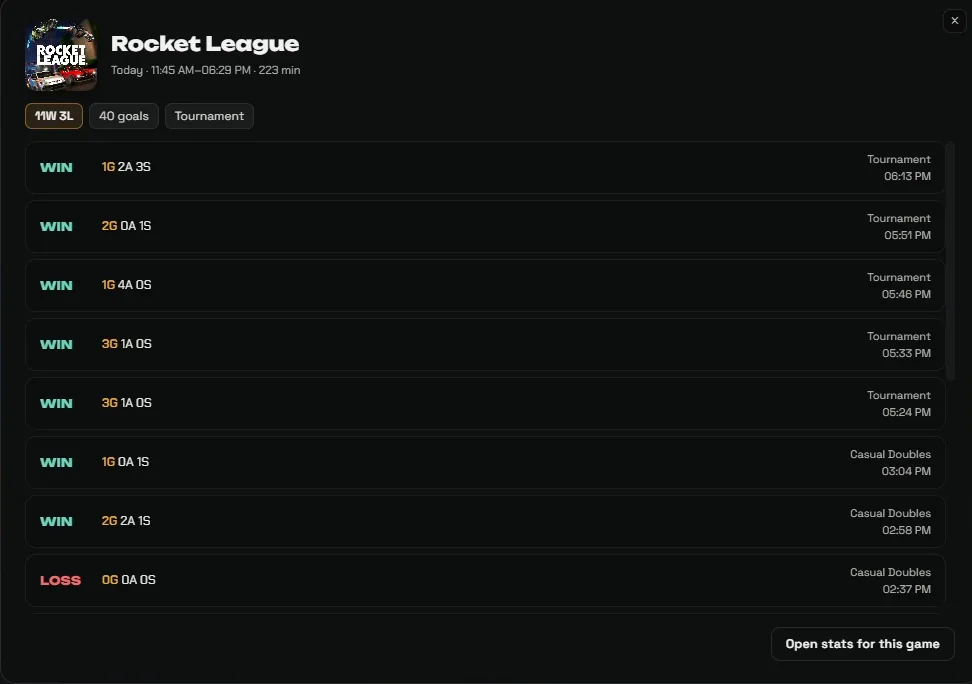
- Every match counts again: When you queued again straight after a match, Rocket League could still send the end of the previous match while the next one had already started. The Companion then closed the new match too early and skipped it, so only the last match of a run was saved. Now the end of one match can never close another.
- Wins when the other team leaves: If the other team left before the end, the match looked like free play and was not counted. A match now counts when both teams were in it at any point.
- Session score stays put: Your wins and losses this session only start at zero again when Rocket League was really closed, not after a short drop in its connection.
- Missed matches stay missed: Matches that were skipped before this update cannot be added afterwards: the Companion never received their stats, and we do not fill in numbers ourselves.
v0.9.46: A new quick panel, and pictures for every game
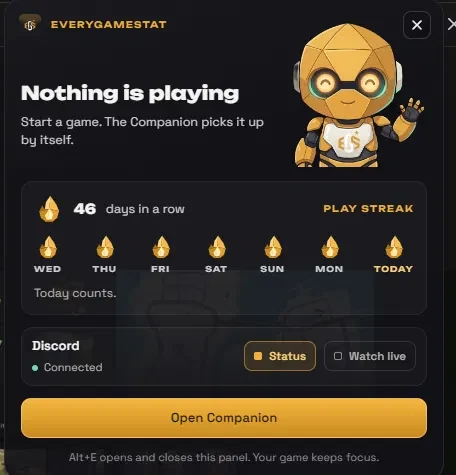
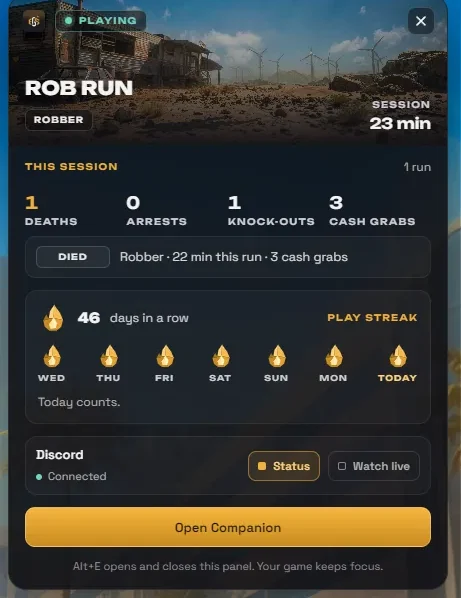
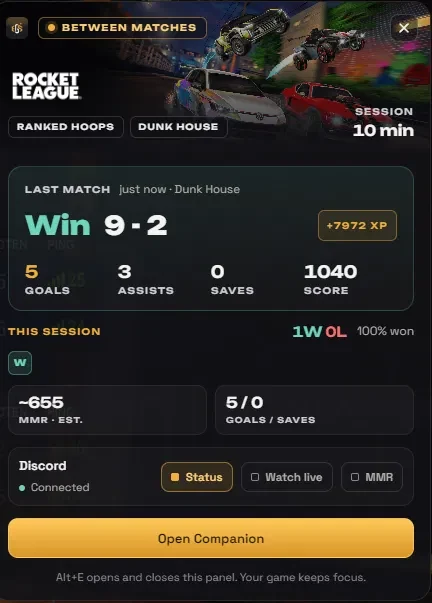
- The quick panel uses its space: Alt+E now shows the game's wide art with its real logo. In a Rocket League match you see the score with the clock and your own goals, assists, saves, shots and points. Between matches you see your last match with its XP, every match of this session as a block, and how your MMR moved since you started (an estimate, and labelled as one). Discord fits on one line.
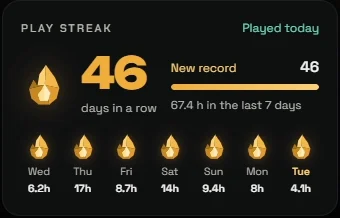
- Your play streak, with its own flame: When you are not in a match, the panel shows how many days in a row you played, with an EGS flame for every day of the week.
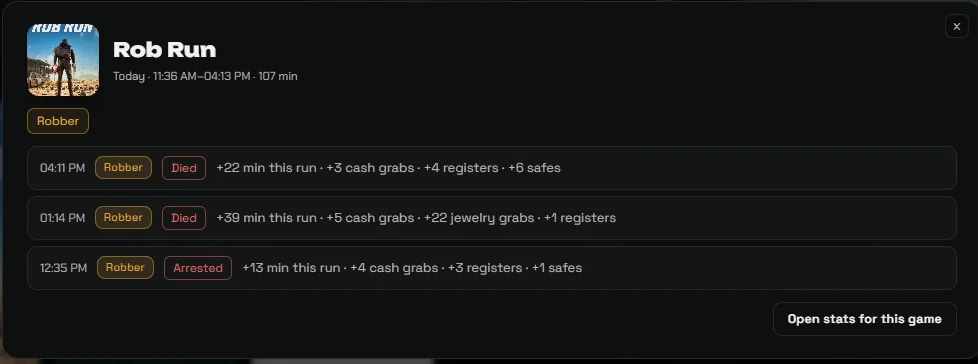
- Pictures for every game: In Recently played only Rocket League had a picture. Now every game gets one from your library or the game database, or from the Steam store when the name matches exactly. A game without a picture shows its first letter instead of an empty tile, and names in capitals are written properly.
- Sharp banners: The banner on top of a game page was a small picture stretched wide and looked blurry. Every game page now uses wide art in full resolution.
- Newer Steam games: For newer Steam games such as Battlefield 6, Discord and Now playing showed a grey block. They now get the real cover.
- Rocket League score: A goal could briefly count twice in the live score (a 2-1 showed as 3-1 for a moment). Fixed.
v0.9.47: A new Home, and Battlefield 6 fixed
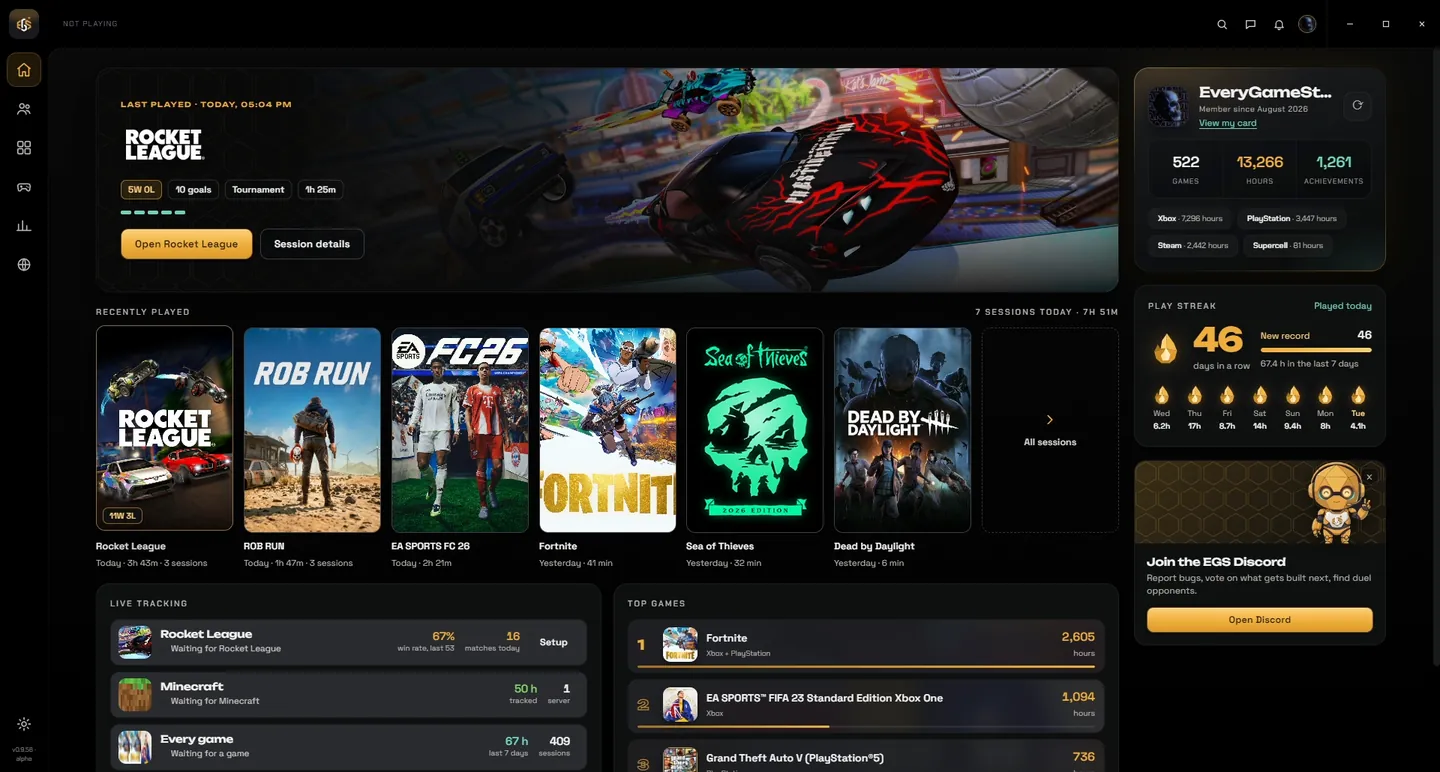
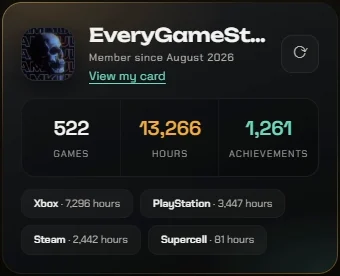
- A new Home: The game you play, or played last, now fills the top of Home with its own art and logo, your result and buttons to open it. Recently played is a wall of covers, with every session one click away. On the right sit your card, your play streak with the EGS flame, and one tip from EGS, such as the Discord or Duels. The empty strips at the sides are gone.
- The real cover for newer Steam games: Battlefield 6 showed a grey block in Recently played. Steam serves a grey stand-in on the old picture address for newer games. The Companion now asks Steam for the real file, in Recently played, your library and your top games, also when you play the game through Game Pass or the EA app.
- One session, not two: A game through the EA app or Game Pass that restarted or vanished for a moment became a second session 14 seconds later, and Recently played showed it twice. A short gap now stays one session.
v0.9.48: Covers back on Home
- Recently played shows its covers: In 0.9.47 the cover wall on Home stayed empty in the app: only the names showed. The covers are back, and wide art fits on a blurred copy instead of being cut off, like in your library.
- Proper names: A game whose window title is all capitals (BUCKSHOT ROULETTE) now shows its real name on the cover wall too.
v0.9.49: Play your games from the Companion
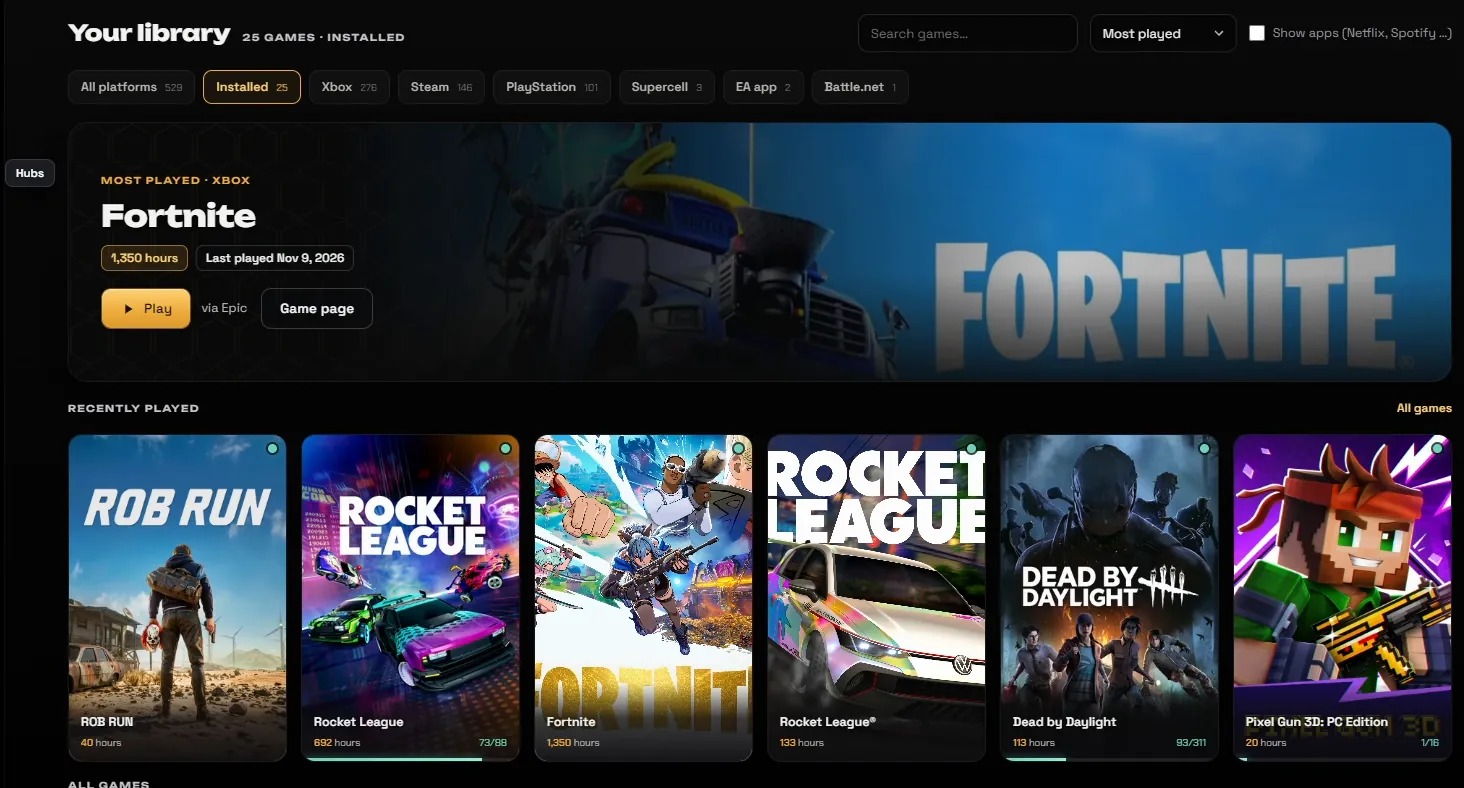
- Play and Install in your library: The Companion finds the games installed on this PC from Steam, Epic, GOG, the Xbox app (Game Pass), the EA app, Ubisoft Connect, Battle.net and Riot. Hover a game and press Play: it starts through its own launcher, so sign-in and updates stay with that launcher. A Steam game you own but haven't installed gets an Install button. Installed games that aren't in your EGS library yet show up too, with a new Installed filter.
- A full page per game: Clicking a game opens it fully instead of a small window: a large banner with Play or Install, your hours, achievements and what the Companion measured, your sessions, and the description, trailers and screenshots. A game from your library no longer says Buy on Steam.
- Moving between screens: The window no longer uses the trick that made it misbehave when you drag it from a full HD screen to a 2K screen (grey area, zoomed-in content). The Companion also remembers where you left it: maximised or as a window, on the same screen.
- Recently played per game, streak per local day: Recently played on Home shows each game once, with everything from that day together, instead of the same cover six times. Your play streak now counts the days in your own time zone, so a session after midnight lands on the right day.
v0.9.50: Every page in the new style
- Game hubs, Stats, Library and Community match Home: Each page now has the same title row, a large hero and a narrow column on the right. Game hubs shows your linked hubs with your main number and what is live right now. Stats leads with the game you track live (or your latest update) and shows every game as the same card, with when it was last updated. Library puts your most played game up top with Play, and lists what is installed on this PC with a quick Play button. Community shows the leaderboard as a podium with your own spot, and your card next to it.
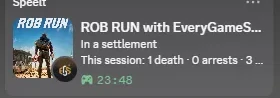
- EveryGameStat on Discord when you're not playing: With the Companion open and no game running, your Discord profile shows EveryGameStat again. The second line says you're waiting for the next game, so the timer never looks like playtime. Pause tracking or turn off the Discord status in Settings and it disappears.
v0.9.51: Themes, and Settings in the new style
- Appearance: themes, accents and glass: Settings has a new Appearance section. Pick a theme (Graphite, Midnight in pure black, Ember, Deep sea, or Game art with your last played game blurred behind everything), an accent colour (Gold, Teal, Crimson, Ice), solid or glass cards, and turn the hexagon pattern and film grain on or off. Everything applies right away and is saved on this PC. All looks are free for now.
- Settings match the rest of the app: Settings now look like the other pages: a plain menu on the left, a title with a short line per section, and the options grouped in cards.
v0.9.52: Report a problem, and error reports
- Report a problem: Settings > App has a Report a problem button. Write what went wrong and send it, with the log file if you want. It goes straight to the developer.
- Error reports: When something breaks, the Companion now sends the error and its version, so bugs get found and fixed faster. Never your files, and your Windows user name is removed. You can turn it off in Settings > App.
- A log file on your PC: The Companion keeps a short log of what it did, on your PC only. Settings > App > Open folder shows it.











 1